
From 2027
A plotter in your office, run by us.
Rather print on site? We put a large-format plotter in your office, or take over the one you already have, and run it with paper, ink, service and remote monitoring included.
- The plotterAn HP DesignJet from us, or yours once we've inspected it.
- Paper and inkBrought to you before you run out.
- ServiceWhen it needs it, we handle it.
- MonitoringWe see paper, ink and faults from our side.
How it runs
Step 1: Set up
We put a plotter in your office, or inspect the one you have, and connect it.
Step 2: Print
Your team prints to it whenever they need to.
Step 3: Restock
We watch it remotely and bring paper and ink before you run out.
Step 4: Scan the code
The code on the plotter opens its page in our app: supplies, service and usage.
Two plotters to choose from
Both are 36-inch HP DesignJets. The difference is scanning.
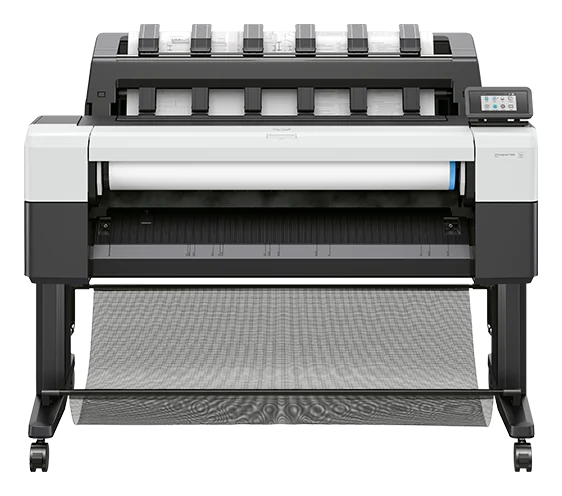
For offices that print.
HP DesignJet T1600
Prints drawings and plans up to 36 in wide.
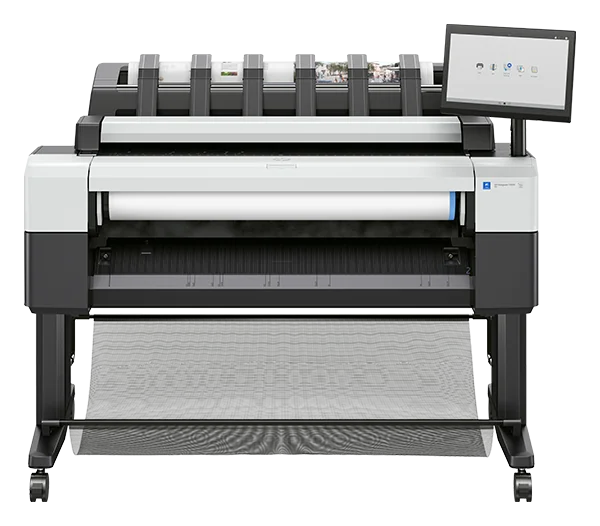
For offices that print and scan.
HP DesignJet T2600 MFP
Prints and scans up to 36 in wide, with a large touchscreen at the front.
Already have a plotter?
We can take it over. We inspect it first, and if it's in good shape we run it like one of ours: paper, ink, service and monitoring.
Big sets can still come to us: we print them in our own shop and deliver them on Long Island. About the pilot

Office plotters
Interested?
Tell us about your office and we'll be in touch when we can talk details.
- Only your name and email are required.
- No account or payment needed to ask.